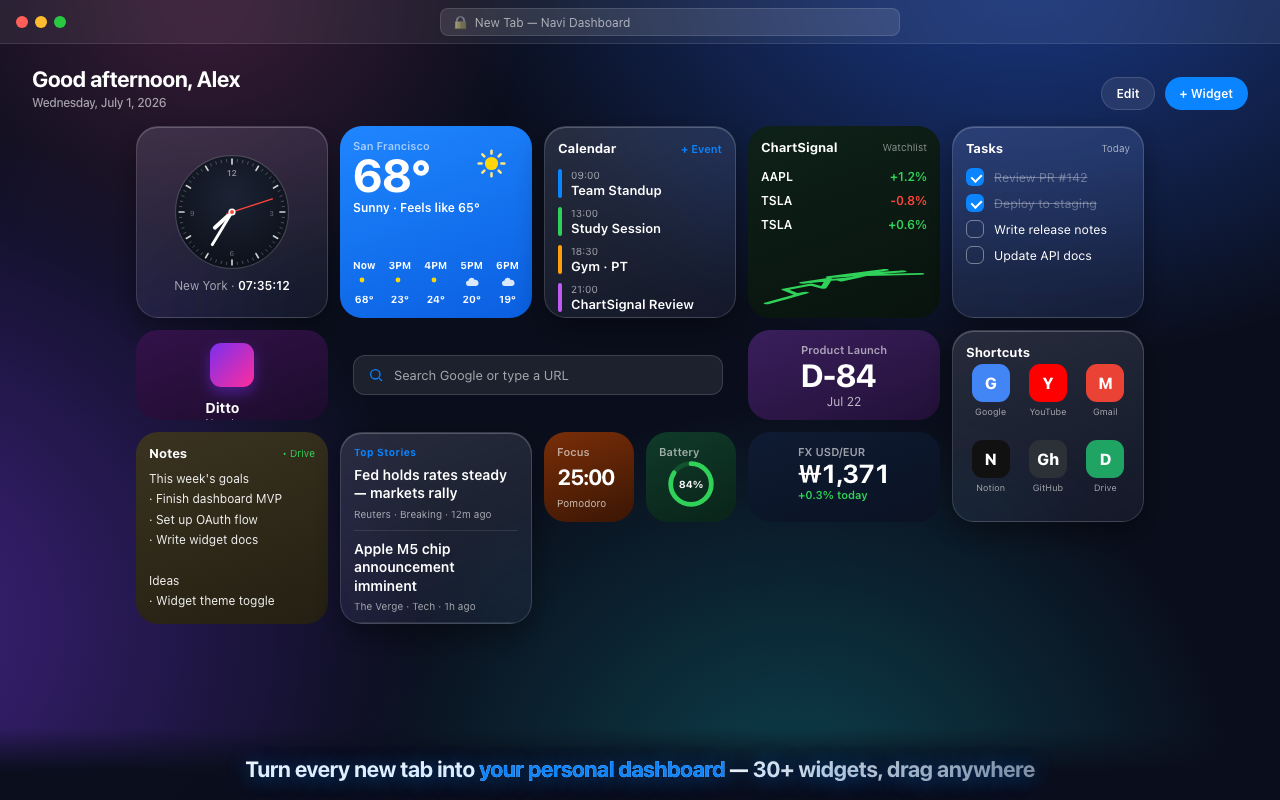
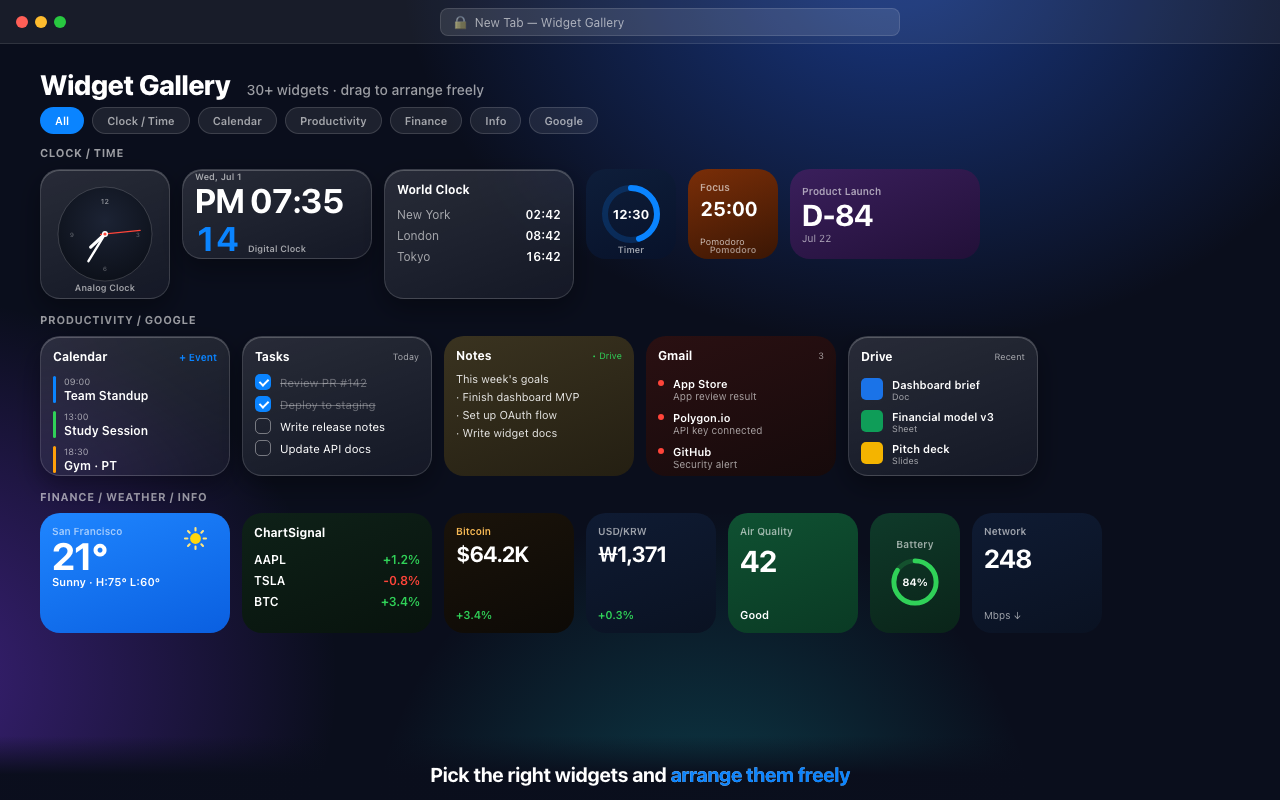
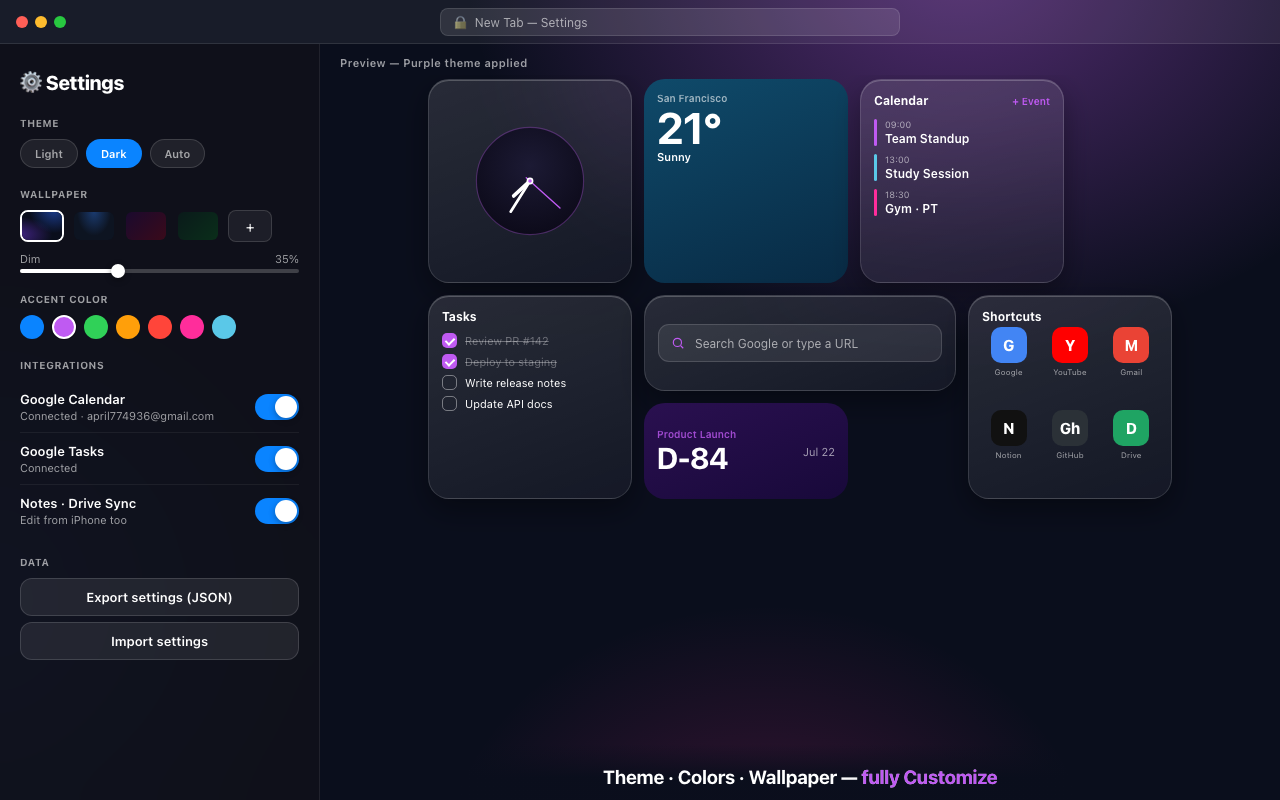
19 widgets, freely arranged. Clock, calendar, tasks, notes, weather, and markets — all in one place, every time you open a tab. 19종 위젯을 자유롭게 배치하세요. 시계·캘린더·할 일·메모·날씨·시세까지 — 탭을 열 때마다 한 화면에.
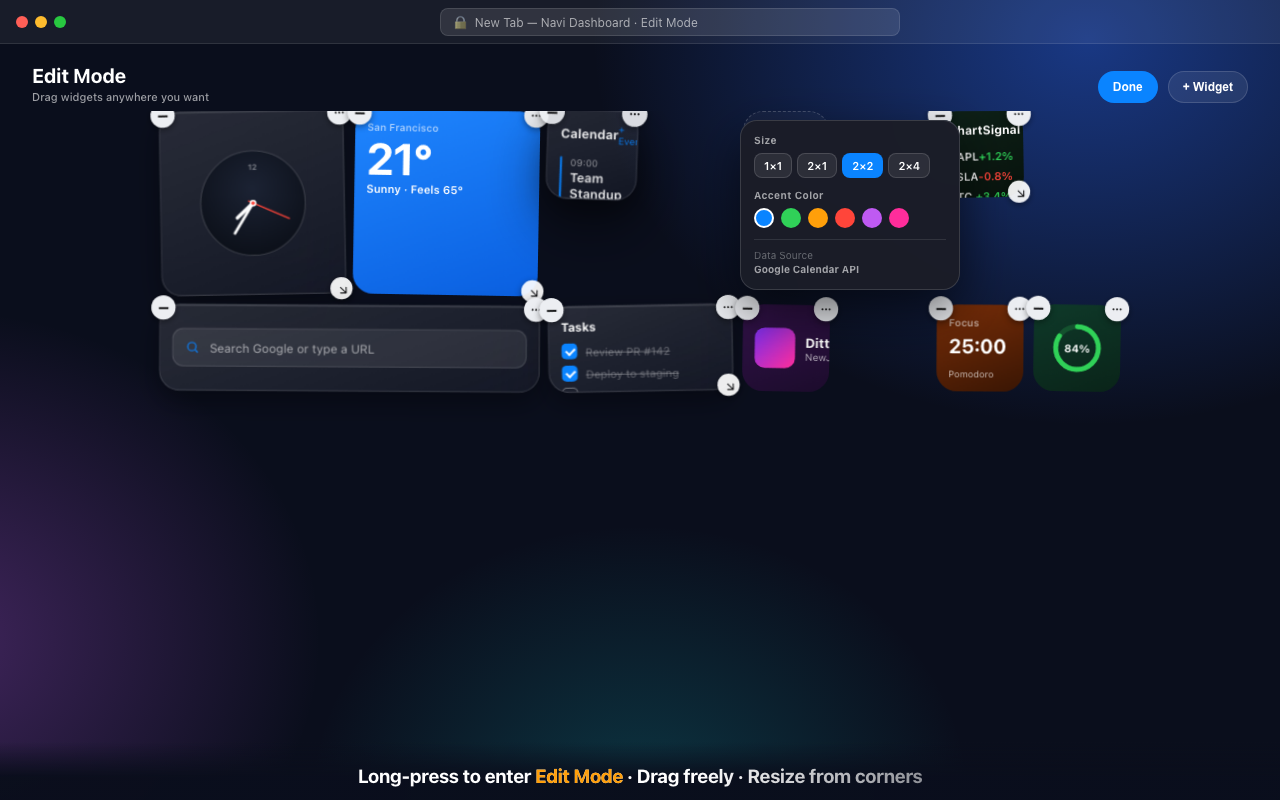
Long-press to edit, drag to move, pull a corner to resize. All local, all fast.길게 눌러 편집, 드래그로 이동, 모서리를 당겨 리사이즈. 모두 로컬에서, 빠르게.
Analog, digital, and world clocks, plus stopwatch, timer, and D-Day — down to the second.아날로그·디지털·세계시계, 스톱워치, 타이머, D-Day까지 초 단위로.
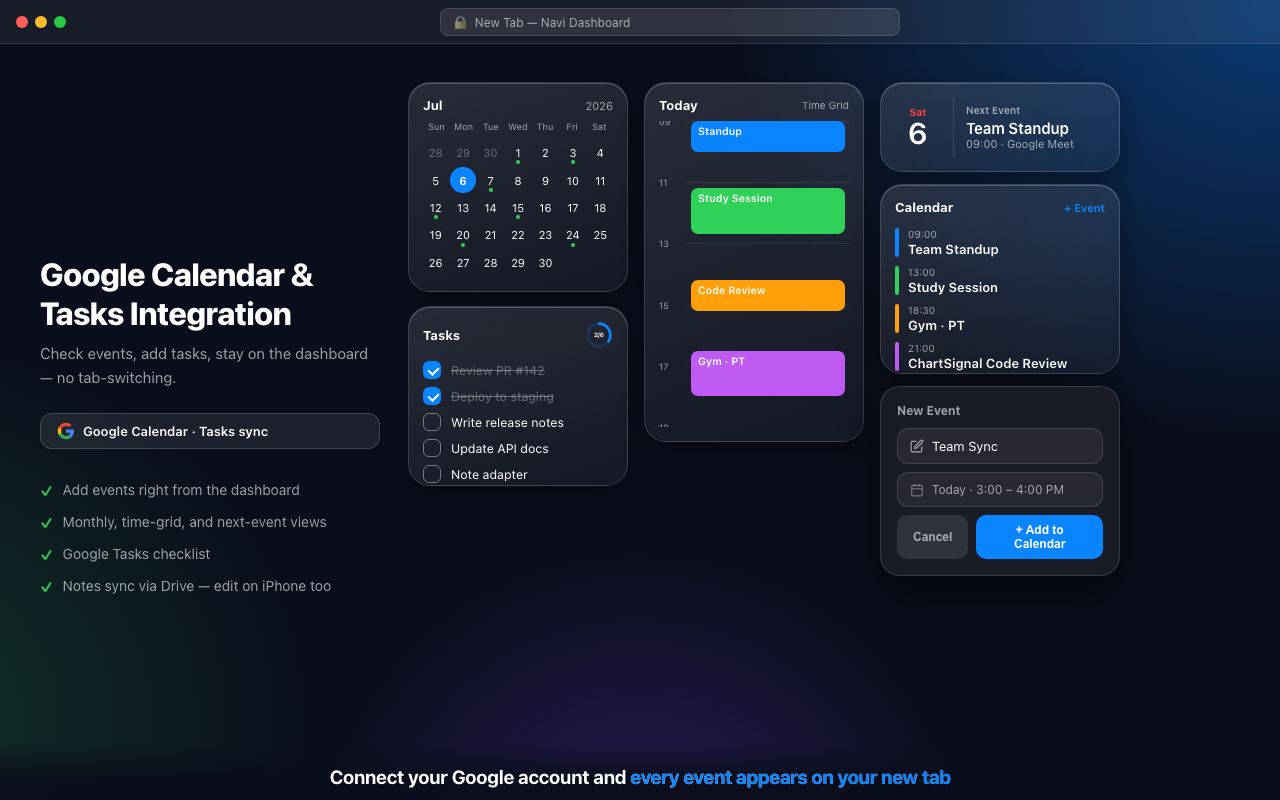
See your Google Calendar events and Tasks, and add them right from the dashboard.Google 캘린더 일정과 Tasks 할 일을 보고, 대시보드에서 바로 추가합니다.
Sync notes as a visible file in your own Google Drive and edit them anywhere.메모를 본인 Google Drive의 보이는 파일로 동기화해 어디서나 편집.
Free weather, air quality, and sunrise/sunset powered by Open-Meteo.Open-Meteo 기반 무료 날씨·대기질·일출일몰 정보.
Check stocks, crypto, and exchange rates in a single widget.주식·암호화폐·환율을 위젯 하나로 빠르게 확인.
Stay in flow with goal rings, Pomodoro, a calculator, shortcuts, and a search bar.목표 링·포모도로·계산기·바로가기·검색바로 흐름을 유지.
From clocks and calendars to stocks, RSS feeds, and habit trackers. Every widget supports multiple sizes and adapts its layout accordingly.시계·캘린더부터 주식·RSS·습관 트래커까지. 모든 위젯은 여러 크기를 지원하고 레이아웃을 자동으로 조정합니다.
See today's events and upcoming tasks at a glance. Add a new event or check off a task without leaving your new tab.오늘 일정과 할 일을 한눈에. 새 탭을 떠나지 않고 일정 추가·할 일 완료까지 바로 처리하세요.
Long-press any widget to enter edit mode. Drag it wherever you want; surrounding widgets shift out of the way automatically.위젯을 길게 누르면 편집 모드. 원하는 곳으로 드래그하면 주변 위젯이 자동으로 밀립니다.
Choose accent colors, switch between dark and light themes, change your wallpaper, and export your setup as JSON to back it up or share it.강조색 선택, 다크·라이트 테마 전환, 배경화면 변경, JSON으로 설정 내보내기·복원까지.
Start free. Upgrade when you're ready. No ads, ever.무료로 시작하고, 준비되면 업그레이드하세요. 광고는 없습니다.
GridWidget does not collect, transmit, or sell your data. Everything stays in your browser and your own Google account.GridWidget는 데이터를 수집·전송·판매하지 않습니다. 모든 데이터는 사용자의 브라우저와 본인 Google 계정 안에만 머무릅니다.
Shows your upcoming events and lets you add or edit them directly from the dashboard. Events stay in your Google account only.캘린더 위젯에서 일정을 보여주고, 대시보드에서 직접 추가/수정합니다. 개발자 서버로 전송되지 않습니다.
Shows your task lists and lets you add and complete tasks from the dashboard. Data stays in your Google Tasks only.할 일 위젯에서 작업 목록을 보여주고, 데이터는 사용자의 Google Tasks에만 머무릅니다.
Accesses only the files the notes widget creates. Saves notes as a visible file in your Drive — no access to other files.메모 위젯이 만든 파일에만 접근합니다. 다른 Drive 파일에는 접근하지 않습니다.
Used only to display which account you are signed in with.로그인한 계정을 화면에 표시하기 위해서만 사용합니다.
See the Privacy Policy for details. Revoke access anytime from Google Account permissions. 자세한 내용은 개인정보처리방침을 확인하세요. Google 계정 권한 페이지에서 언제든 해지 가능합니다.